Feature
Owner Launchpad turns setup into a visible path instead of a hidden checklist.
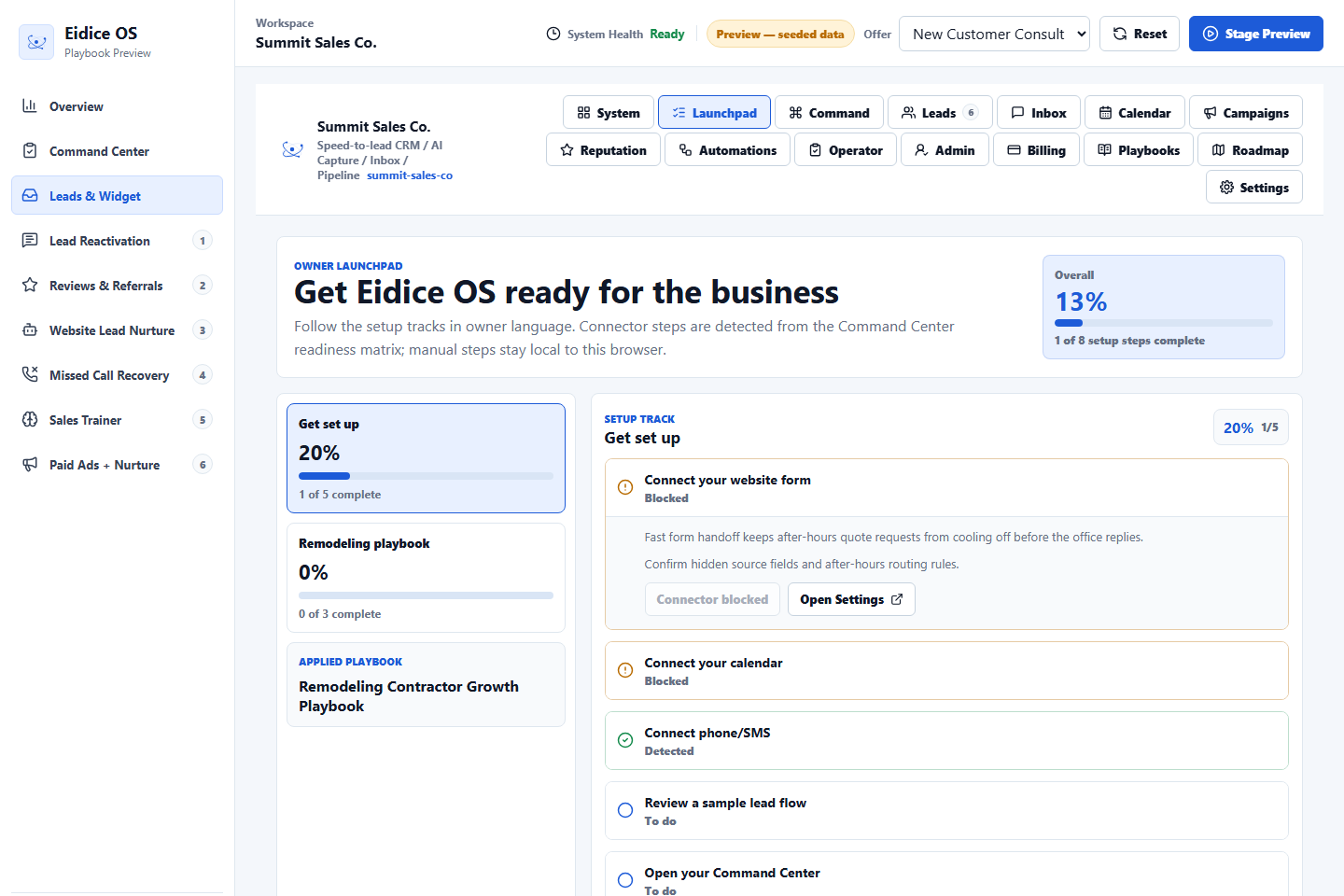
Owner Launchpad gives service-company owners a practical setup path for making Eidice OS useful before any live customer workflow is connected.
It separates detected readiness from manual owner check-offs, so the business can see what is ready, what still needs attention, and where to go next.
What owners see
The base track covers website form, calendar, phone or SMS readiness, sample lead review, and the Command Center. Progress is visible at the track level and across the full setup path.
Why it matters
A business should not wonder whether the system is ready. Owner Launchpad shows the next practical step and keeps unfinished setup work from disappearing into a sales call or a notes doc.
How playbooks connect
When a vertical playbook is applied, its setup guidance appears as a second track. The playbook configures preview guidance only; it does not send, publish, book, or write to a live integration.
Next step
Review the related Eidice OS pages below, then use the main product page to book a demo request with Oliver Labs LLC or inspect the current product preview.